A Setup Centre
Follow eight checkpoints from your computer and first file to instructions, connections, a skill and a repeatable run.
Practical AI training
Learn to delegate the computer tasks you repeat: emails, invoices, reports.
No coding needed to start. You work with Codex, from OpenAI.
| Sep | Sales · AUD | Covers | Hours |
|---|---|---|---|
| 7 | 4,200 | 80 | 28 |
| 8 | 4,800 | 90 | 29 |
| 9 | 5,100 | 95 | 32 |
| 10 | 6,000 | 110 | 38 |
| 11 | 7,400 | 145 | 48 |
Your result appears here.
Built around your work
Pick a task. See what you could build.
Turn seven days of sales and staffing figures into a report you can check.
Use the seven supplied daily records to calculate sales, covers and actual hours. Reconcile each total with the source rows and state the reporting period. These figures come from the complete-week practice case.
Then try the missing-hours case. The report must flag the missing day and leave the full-week hours and labour ratio unknown. A fictional report demonstrates the method, not measured savings or a connected account.
Fictional practice · 7–13 September 2026
Inside the Academy
Clear steps. Your own Codex. Results you can check.
Visual lessons
Copyable prompts
Checked exercises
Follow eight checkpoints from your computer and first file to instructions, connections, a skill and a repeatable run.
Set the context, source files, permissions and expected output. Copy the brief into your own Codex and inspect what it produces.
Personalise eight downloadable briefs and templates for reports, invoice proposals, evidence checks, skill design, VPS preflight, troubleshooting and handover.
Use 14 step guides with documentation screenshots, expected results, copyable prompts and help when your screen looks different.
Keep your learning notes beside each lesson. Resume your last activity and save useful resources for later.
Keep submitted results, checking feedback and notes with your project. Export your account records when you need to share the work.
Find lessons, guides, prompts, documented software capabilities and resolved questions available to your account.
Ask about a lesson or project. Keep the question private to you and support, or choose to share it with the cohort.
Tell the coach which tools you use and what you want to do. It points to relevant lessons and explains the next step. Your own Codex runs the work you authorise. Image attachments are not analysed; course search stays available without AI.
Your learning path
Set up. Connect. Build. Check.
Create a small business deliverable in your own Codex practice folder.
Your checkpoint. Open the saved file and compare its contents with the supplied inputs and the requested result.
Set up a project folder, AGENTS.md instructions and a brief that explains how you want the work done.
Your checkpoint. Start a fresh task and confirm it can find the right inputs, follow the boundaries and produce the requested output.
Map a source, assess account access and prepare an evidence record that identifies missing information.
Your checkpoint. Separate an observed read from an untested connection, and preserve incomplete data in the practice report.
Build a practice process with named inputs, a useful output and a reusable prompt or skill.
Your checkpoint. Inspect the normal result and at least one failure case before considering real business access.
Add a schedule, repeat-run controls, usage limits and a response to failure.
Your checkpoint. Show what happens when the task repeats, an input is missing or a limit is reached.
Finish your capstone and write a practical runbook with ownership, recovery steps and known limits.
Your checkpoint. Match the result to the original brief and leave evidence another person can inspect and use.
72 lessons. 15 modules. Your pace.
The six missions use 54 core lessons. Four optional lessons cover VPS hosting and OpenClaw. Another 14 complementary lessons help you set up and work with your dot. Availability depends on your account and rollout. Every lesson includes a prompt, an exercise and a knowledge check.
Your first local business report, with setup notes and a short record of what you checked.
A reusable project folder with operating instructions, a clear brief and a checked change.
An access map showing what worked, what remains untested and which connection to try next.
A reusable prompt, a revised deliverable and a record of the sources or tests supporting it.
A business skill draft, test records and a scheduling brief you can review before activation.
Business files and review records from practical exercises across the Codex toolset.
Business visuals you can check
An optional VPS setup and recovery pack for a project that needs persistent execution.
Practice reports, an unsent enquiry response and a website audit with supporting evidence.
A repeat-run test pack, operating log and clear limits for a supervised automation trial.
A finished practice workflow with an acceptance record, runbook and owner handover.
A discovery pack, evidence ledger, access assessment and reconciled report from four supplied workshops.
A website prototype, booking test results, sales diagnosis and invoice review pack using fictional business data.
A checked setup and a clear account of what your dot can access. Availability depends on your account and rollout.
A bounded mission, a reviewed recurring schedule and practice results with human checks.
These workshops are included in the 72 lessons. All businesses and datasets are fictional learning scenarios.
Convert a fictional interview into a scoped pilot brief, a workload baseline and explicit acceptance checks.
Assess ten observations, retain conflicting evidence and replace claims that reach beyond the facts.
Review eight recorded access probes and explain wrong-account, permission and incomplete-data results.
Prepare a seven-day manager report, then handle missing hours without presenting a complete labour figure.
Create a local three-page site and record navigation, form and responsive checks before publication review.
Test a local booking prototype for capacity, venue, party size and unavailable times, with no real reservation.
Reconcile fictional orders, refunds, traffic and stock, then propose a test without inventing advertising attribution.
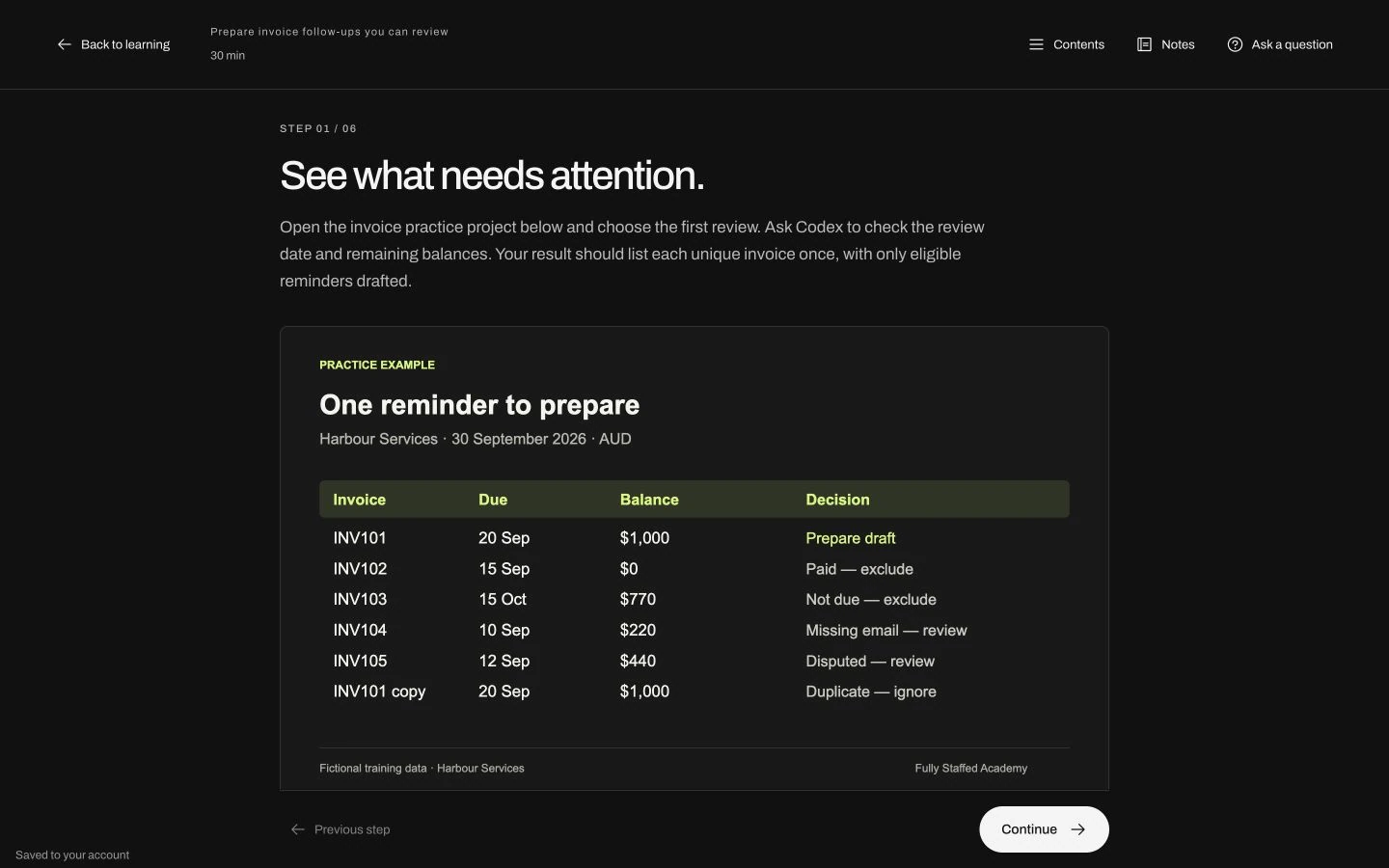
Prepare a proposal queue that catches duplicate documents, recognises an existing draft and holds ambiguous jobs.
The offer
A practical course. A useful first project.
Secure payment by Stripe. Full refund until the end of week 2.
Questions before you buy? Write to mael@fullystaffed.com.au
Your Codex account, other software and optional hosting cost extra.
Member Q&A is available. A monthly office hour is planned; dates are announced to members. Individual implementation is quoted separately.
Yes. If you work on a computer, start with the tasks you repeat: emails, invoices, reports or copying information between tools. In this course, you learn to build an AI agent: software that carries out steps you give it. You choose its tools and access, check the results and approve important actions.
Yes. The foundations explain Codex, prompts, files and permissions in plain English. Start with the supplied fictional files, then practise at your own pace. You will need a computer, internet and your own suitable Codex account. Four optional lessons cover VPS hosting and OpenClaw when a project needs an always-on agent.
Start by mapping your tools and the task you want to improve. Learn when to use a supported plugin, an API (a way for software to exchange information), an export or the browser. Account permissions and subscription conditions still need checking. Unknown tools stay marked for research; a catalogue entry does not prove your account is connected.
Follow written lessons, illustrated guides and adaptable prompts beside your own Codex. Practise with fictional files, check the output, then try a case with missing information or changed data. The 72 lessons include eight business workshops, four optional advanced lessons and 14 complementary lessons on dot. Dot access depends on your account and rollout. There are no course videos. Completion time depends on your setup and project.
The Academy coach helps you find a lesson and understand the next action. It does not operate your business accounts or analyse image attachments. Course search stays available if AI is unavailable or you reach your allowance. Member Q&A is available; a monthly office hour is planned, with dates announced to members. Individual implementation and detailed consulting are quoted separately.
Four practice projects check defined cases on the server, including errors, repeated inputs and changed figures. See what passed and what needs correcting. Lesson ticks are self-reported. Passing an exercise does not certify your live business system. No accredited qualification or guaranteed saving is offered; you learn to measure the benefit after review, rework and maintenance.
AUD 990, paid once by card through Stripe. Your access arrives by email straight away. Full refund until the end of week 2: reply to that email. Your Codex account, other software and optional hosting cost extra.
Secure payment by Stripe. Full refund until the end of week 2.